boopr

Your friends. No noise.

A chronological feed of the people you actually know. No ads, no algorithm. Launches August 15, 2026.

App Store Aug 15, 2026
Google Play Aug 15, 2026
Invite-only · 25 invites per user
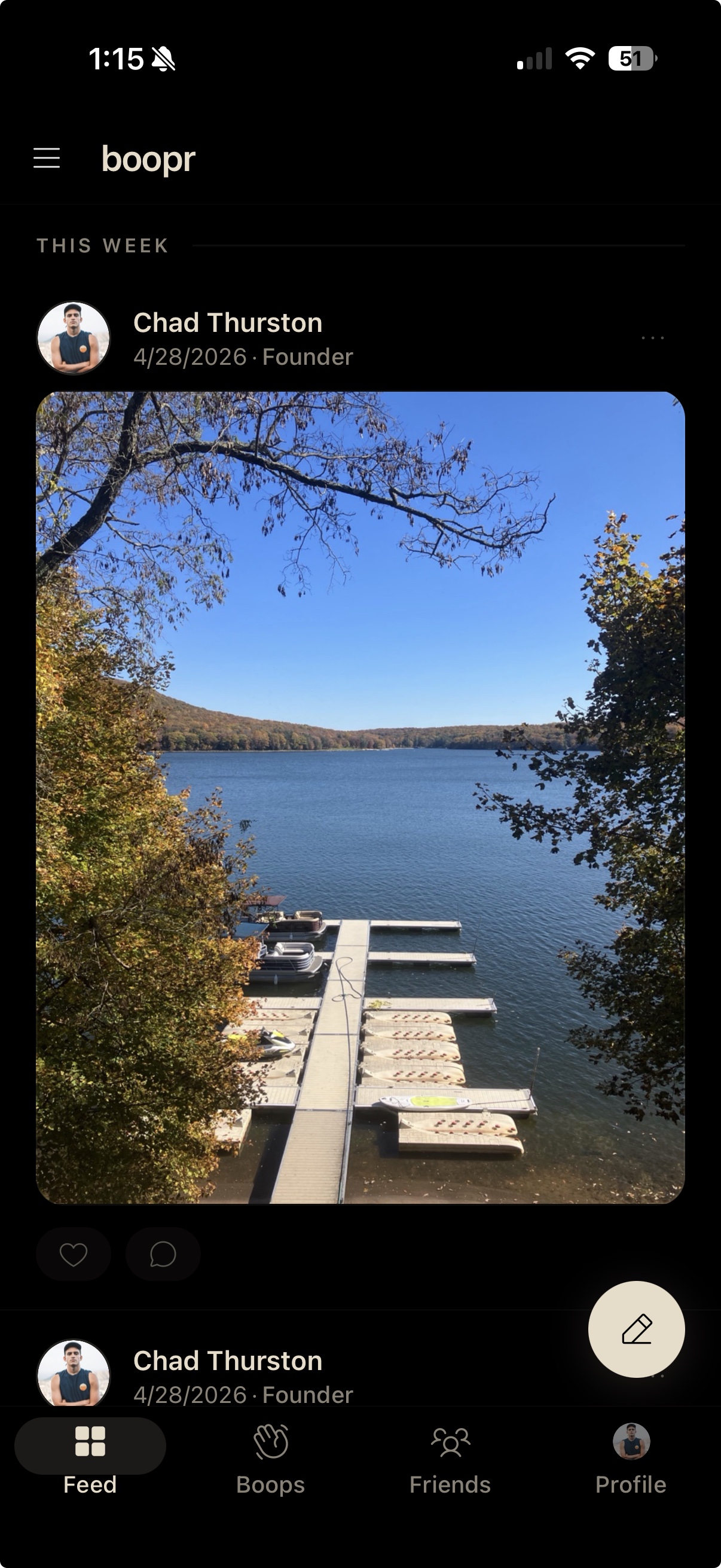
boopr feed showing a chronological post from a friend
The feed
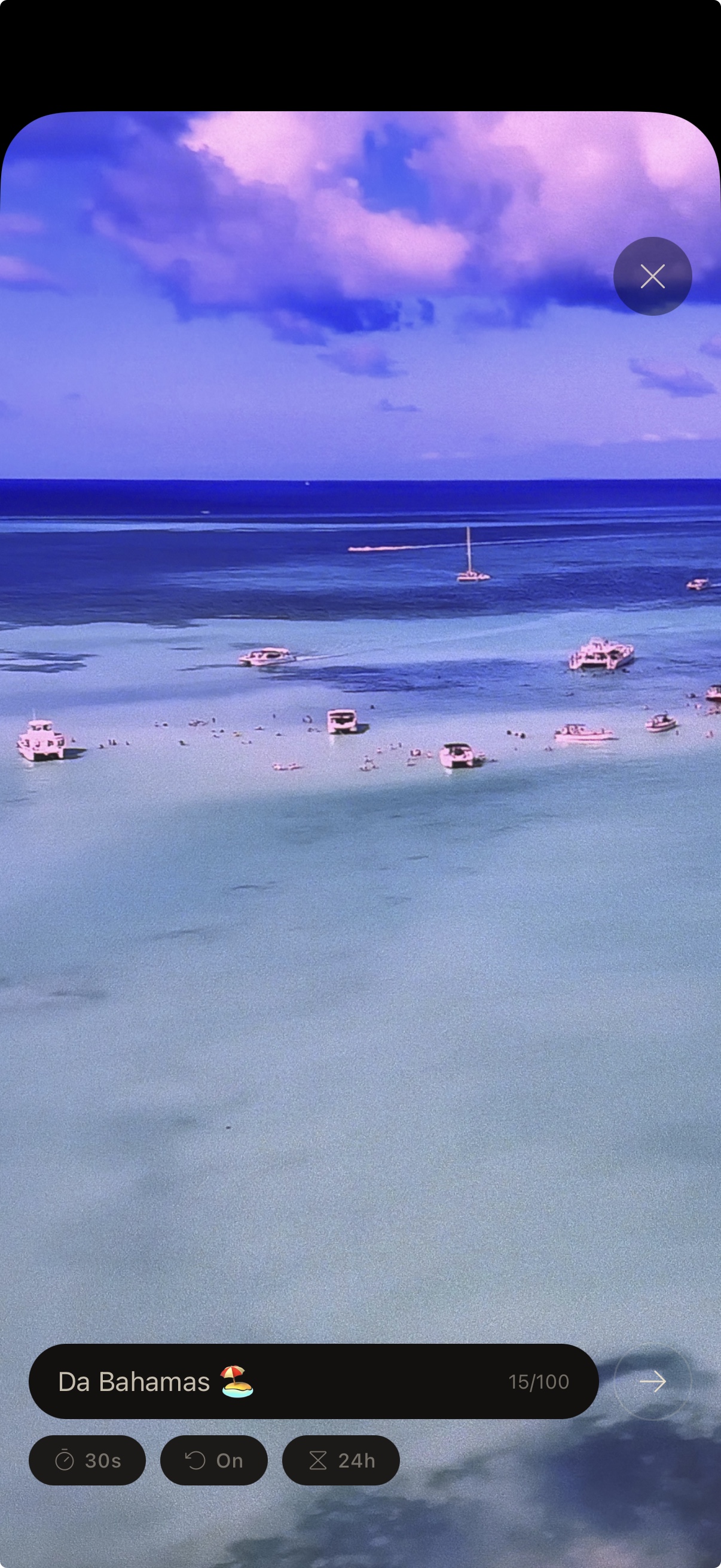
boopr boop composer over a beach photo
A boop
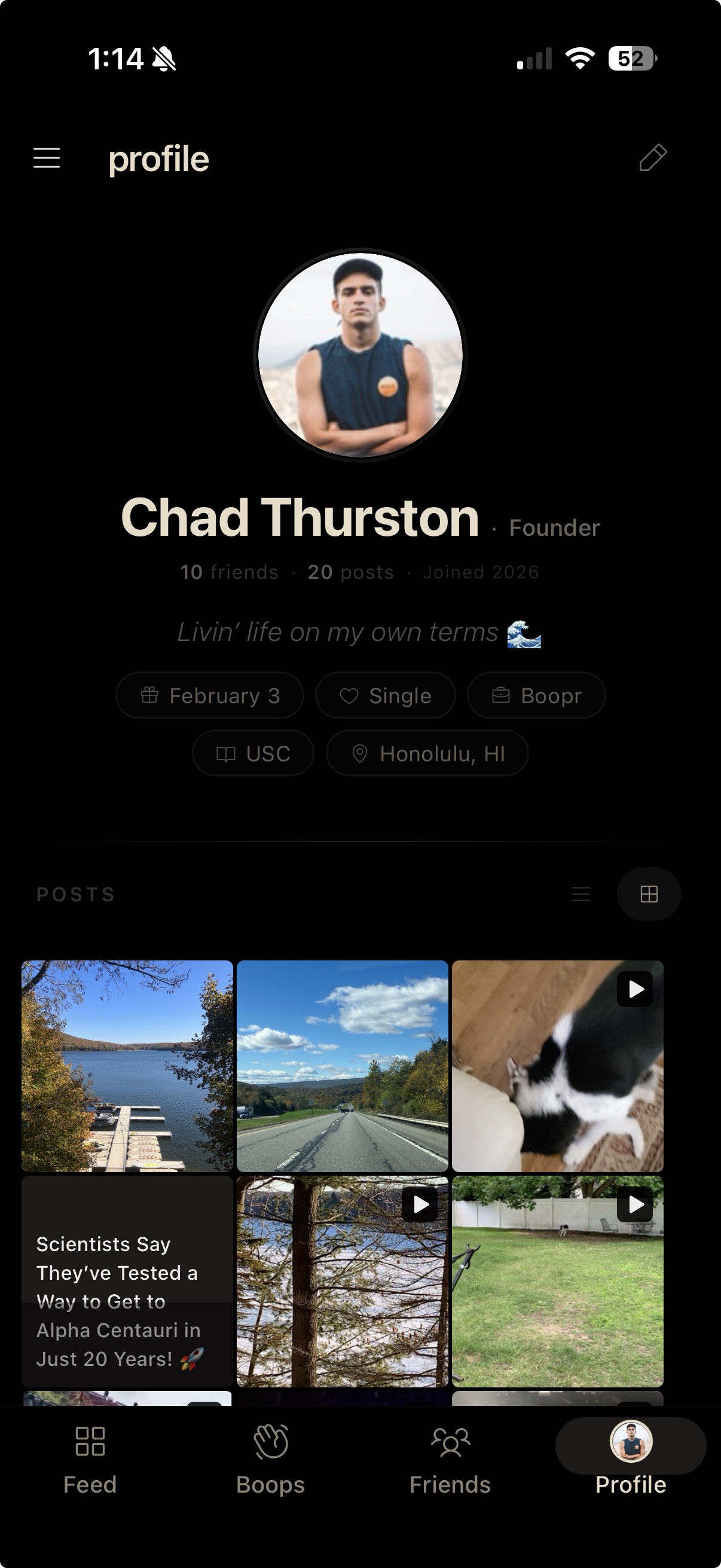
boopr profile screen with bio and post grid
A profile
Chronological

Just your friends

Open the app, see what your friends posted, maybe send a boop, get on with your day. No algorithm decides what matters. Newest first, always.

Express yourself

Say more

Photos and video for the feed. Boops for the moments in between: quick photo or video snaps to specific friends, gone after they're seen. Like a Snapchat snap, but it never goes to a public Stories feed. Photo boops are free; video boops are on boopr+.

Private by default

Actually private

Your posts and photos are encrypted on your phone before they reach us. We only ever hold ciphertext. If we tried to snoop on you, we'd have to break into every friend's device individually to get the keys.

What you'll find on boopr
Your feed
A chronological timeline of posts from your friends. Photos, text, GIFs, video, albums, newest first. Double-tap to like. Comments are private between you and the author, not a public reply thread like on X. Choose who sees each post: all friends, a specific audience, or one person.
Boops
A photo or short video you send to specific friends, gone after they've seen it. Snapchat figured out the snap shape; we kept that and dropped the public broadcast layer. Boops go to the friends you picked, never to a Stories feed where strangers can land on them. Photo boops are free, video boops are on boopr+. The app is named after them.
Audiences
Organize your friends into audiences like "Close Friends" or "Family" and pick which audience sees each post. Audiences live on your device only. The server never knows how you've organized your friends or who's in which audience.
Screenshot detection
Screenshot a boop or a sensitive screen and the other person's phone pings within a second or two. On protected screens, the content is blanked in the screenshot itself on both iOS and Android, so most attempts come back as a black image. The notification is the real deterrent either way.

More coming. See the roadmap.

Why boopr exists

Instagram stopped being about friends.

The feed you opened in 2012 to see your roommate's dog now shows you eight ads and a stranger's CrossFit PR before it gets to anyone you follow. It isn't broken; it's working exactly as designed. Snapchat ships ads directly into your chat inbox above messages from real friends, and charges $15.99 a month to turn them off. Your actual friends are less profitable than whatever keeps you scrolling past strangers.

We built boopr for the thing those apps used to do. Open it, scroll the posts from the people you invited, close it. The whole loop should take about 30 seconds. If it ever takes longer, we've failed.

Your posts go only to the friends you picked. Our servers hold encrypted blobs they can't read.

boopr is invite-only because trust doesn't scale through signup forms. Every account here was vouched for by someone who already had one. You get 25 invites on the free tier and 100 on boopr+, so you spend them on people you actually want to see posts from.

How privacy actually works
When you post
Your phone creates a unique key, locks your post with it, and sends the locked version to our servers. We store it, but we can't open it. Only your friends' devices can.
When friends view it
The key gets sealed individually for each friend; only their phone can unlock it. We deliver sealed envelopes. We never see what's inside.
What we see
Ciphertext and metadata. We can see that user X posted at 3:04 pm and that users Y and Z pulled the post. We need that to deliver things. We can't see the caption, the photo, or which friend group it went to. Our own engineers can't pull the content even with a court order, because we don't have the keys.
How it works
1

Get invited

Someone you know sends you an invite code. Every user on boopr was brought in by a real person.

2

Add friends

Exchange friend codes in person or by QR. No phone number, no contacts upload. Your friend list is invisible to everyone but you.

3

Start sharing

Post photos and boop someone. Your circle, your rules.

Free vs boopr+

Other social apps cover their hosting and engineering bills by selling ads against your friends and metadata about your behavior. boopr doesn't, so the features with real per-user costs — video, albums, profile video, voice messages when DMs ship — pay for themselves through boopr+. Everything else stays free forever. As the app grows, so does boopr+: a few additions are already on the roadmap, more we haven't shared yet, and the price stays the same.

Free
Always free
  • Unlimited photo and text posts
  • GIFs and reactions
  • Likes, private replies, friend codes
  • Boops, audiences, push notifications
  • Screenshot detection
  • Everything encrypted by default
  • 25 invites
boopr+
$9.99/mo or $79.99/yr
  • Everything in Free, plus:
  • Video posts
  • Video boops
  • Photo albums (2-20 photos per post)
  • Profile video
  • 100 invites
  • App icon options
  • Early access to new features
Frequently asked questions
How do I get an invite?
Someone already on boopr sends you an invite code. Free accounts get 25 invite codes, boopr+ accounts get 100. The cap is on purpose, so people spend invites on friends they actually want posting in their feed.
Is boopr really free?
Yes. Posting, photos, photo boops, audiences, and screenshot detection are free forever. boopr+ ($9.99/month or $79.99/year) covers the features with real per-user costs — video, albums, profile video, voice when DMs ship — the same costs other apps cover with ads and data sales. We chose subscribers instead. boopr+ grows as we ship new capabilities; the price doesn't.
What's a boop?
A photo or short video you send to specific friends, gone once they've seen it. Snapchat got the snap shape right; we kept that part and skipped the public Stories feed. Photo boops are free; video boops are a boopr+ feature. The app is named after them.
Can boopr read my posts?
No. Encryption happens on your phone before anything reaches our servers. What we store is ciphertext we don't have keys for. Even with a subpoena we can only hand over metadata (who posted when, who pulled what), never content.
What if I lose my phone?
You can view your recovery phrase in Settings > Security anytime. It restores your account, profile, and posts on a new device. Recovery is always free, not a boopr+ feature.
How do I add friends?
Exchange friend codes in person or scan a QR code. You approve every connection. No phone number needed, no contacts upload. Your friend list doesn't exist on our server, only on your phone; not even we can see it.
Can I message friends on boopr?
Not in the August 15 launch. Messaging is built but we're holding it for a post-launch update. We'd rather ship a small app that works than a bigger one that's half-baked. See the roadmap for what's next.
What happens if someone screenshots?
If you screenshot a boop or a sensitive screen, the other person's phone pings within a second or two. Protected screens also blank their contents in the screenshot itself on both iOS and Android, so most attempts come back as a black image. Snapchat does this kind of thing too; the difference is we don't need to read your messages to run it.
Do you track anything?
No ads, no analytics on content, no data resale. Push notifications carry a routing ID and nothing else, so your phone composes the notification text after it decrypts the message locally. Apple and Google can't read "Sarah sent you a boop" either. We collect crash logs and basic service metrics; that's the list.
Can I delete my account?
Yes. Tap "Delete account" in Settings. Local data wipes immediately; server data wipes within 7 days. We store encrypted blobs we can't decrypt anyway, so there's nothing we could keep even if we wanted to.
Can I export my data?
Not at launch. A full encrypted-data export feature is on the post-launch roadmap, with no firm date yet. When it ships, the bundle will be encrypted with your recovery phrase and decryptable on a new device or independently. Until then, your 24-word recovery phrase already restores your account, posts, and profile on a new device.
I just got an invite. What do I do?
Download from the App Store or Google Play (links above), open the app, and paste the invite code your friend gave you. Set a username, write down the 24-word recovery phrase the app shows you, and you're in. The whole flow takes about three minutes.
Why not just use Signal?
Signal is a 1:1 (and small-group) messenger; boopr is a chronological feed of posts from picked friends. Different shapes. Use both. Signal gives you a private chat with one person; boopr gives you a feed where the friends you actually invited post photos and short videos for everyone else who's there.
Where is boopr available?
iOS and Android only at launch (August 15, 2026), and US-only at first. Most non-US jurisdictions require apps that handle private content to provide content access on demand for moderation or law enforcement, and we can't, by design. We're launching where that's compatible with how the app works and reassessing other markets as those regulations evolve. The hardware-backed key story (Secure Enclave on iOS, StrongBox on Android) is also why there's no web client.

Launching August 15, 2026.

iOS and Android. Invite-only. Ask someone who has a code.

App Store Aug 15, 2026
Google Play Aug 15, 2026